Every module in Portal DGTALIT, the complete CRM for your business
Sales, projects, documents, invoicing, accounting, team and clients in a single dashboard. 41 modules organized into 7 areas, with open integrations and role-based permissions, configured to fit your business.
This service is also part of the DGTALIT Sales System: website, SEO, ads, automated WhatsApp and CRM for one monthly fee, from €390.
See the systemNot a generic CRM: it’s your management system
A typical CRM stores contacts and deals. Portal DGTALIT goes further: it turns a lead into a quote, the quote into a project, the project into an invoice, and the invoice into accounting, without leaving the dashboard or duplicating data. Your clients and suppliers get their own access and see only what you decide.
Explore the modules by area and click any of them to see what it does. Activate only what your business needs today and add more as you grow — whether you sell projects, recurring services or products.
41 modules, organized the way your business works
The side menu is reordered by dragging, and each module is activated or deactivated from the admin panel. No code, no waiting on anyone.
Cases
Your clients’ issues and requests, with priority and status.
Projects
Projects, milestones and tracking from start to finish.
Tasks
Your own and assigned tasks, with priority and due date.
Time tracking
Time logging and team workload.
Messaging
Internal and client conversations, all in one place.
Clients & contacts
Company and contact records.
CRM
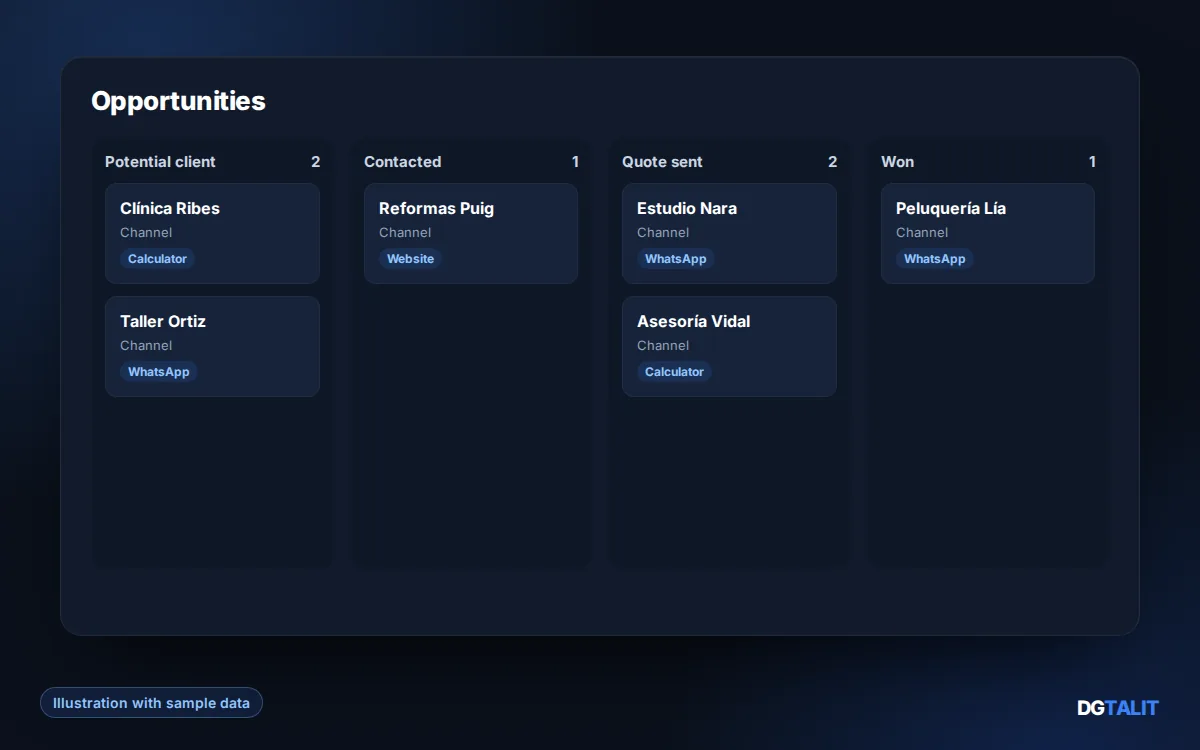
Deals and sales funnel, with forecasting.
Quotes
Cost proposals and their acceptance.
Campaigns
Bulk sends and email marketing sequences.
Web forms
Capture leads from your website with embeddable forms.
Referrals
A referral program with reward tracking.
Sales orders
Client orders and their status.
Collaborators
Freelancers and collaborators, prospective and active.
Invoicing
Invoices and recurring billing, with payment status.
Payments & receivables
Payments, receivables and reconciliation.
Contracts
Recurring services and renewals.
Expenses
Expenses, suppliers and re-billing.
Accounting
Closing and accounting exports.
Rates
Pricing by client and profile.
Commissions
Commissions for technical or sales teams.
Cash flow
Cash forecasts based on committed payments and receipts.
SEPA files
SEPA direct debit files for your bank.
Documents
Document repository and approvals.
Knowledge base
Help articles for your team or your clients.
Templates
Reusable replies and checklists.
Assets
Domains, licenses and renewal dates.
Reports
Dashboards and reports.
Work orders
Service reports signed by the client on-site.
Inventory
Materials, stock and warehouse movements.
Resource bookings
Booking rooms, equipment and other shared resources.
Supplier purchases
Purchase orders and receiving materials.
Clock-in/out
Time tracking with clock-in and clock-out logs.
Time off
Holidays, leave and permissions with approval.
Users
Onboarding, roles and access profiles.
SLA
Service level agreements.
Satisfaction
Surveys and NPS results.
Automations
Rules, events and webhooks.
Audit log
Activity trail.
Personal data
Retention, export and deletion.
Goals & KPIs
Team targets and metric tracking.
Settings
General portal settings.
Special features, activate them when you need them
Beyond the 41 management modules, these advanced extensions are activated separately.
AI transcriptions
Record the visit or meeting from your browser, upload an audio file, or receive it from an OMI recorder: it’s transcribed instantly and linked to the client.
AI visual proposal
From photos, a floor plan and the meeting transcript, it generates an image of how the project could look.
Website monitor, SEO Checker and Verifactu
Website monitoring, automated SEO review and Verifactu (Spanish tax agency) invoicing records, each activated separately.
Try it yourself, not just a screenshot
The best way to see the dashboard is to try it yourself. Here’s an interactive demo with sample data, no sign-up required.
One portal, five ways to sign in
Each type of user sees only the modules that apply to them. Configure it in two clicks and it applies instantly.
Sees and manages all modules, users, integrations and settings.
Calendar, tasks, quotes, photos, documents and transcripts for their projects.
Limited access to the projects they take part in and their deliverables.
Subcontractor quotes, catalogs and documents you assign to them.
Their quote, their deliverables, their project calendar and their invoices.
| Module | Client | Supplier | Collaborator | Technician |
|---|---|---|---|---|
| Quotes | ✓ | — | ✓ | ✓ |
| Deliverables / dossier | ✓ | ✓ | ✓ | ✓ |
| Calendar | ✓ | — | ✓ | ✓ |
| Photos and documents | ✓ | — | ✓ | ✓ |
| Transcripts | — | — | — | ✓ |
| Invoicing | ✓ | — | — | — |
| Supplier catalogs | — | ✓ | — | ✓ |
Already using it? We’ll connect it
WhatsApp, Holded, your calendar, your email, your automations… and, via API or webhooks, practically any sales system, ERP or CRM you already run. You don’t switch tools: we connect them.
Same engine, different setup
The pipeline stages, document types, catalog and active modules change. The base stays the same.
Renovations and installers
Pipeline from visit → quote → job, line-item catalog, suppliers by trade, work contract, photos and measurements, AI visual proposal.
Technical services and workshops
Work orders as projects, intervention calendar, quick quotes from the catalog, billing on close-out and client notification.
Clinics and centers
Patient portal with multi-visit treatment quotes, calendar, documents and billing; each team member sees only their own.
Advisory firms and law offices
Case files as projects, versioned deliverables, deadline calendar, client portal for documents and invoices.
Agencies and studios
Sales pipeline, proposals and contracts, project tracking by phase, tickets and a portal so the client can see progress.
A different industry?
If your business has clients, quotes and projects, it fits. We’ll analyze it with you and set up the initial configuration.
Three plans, based on what your company needs
From organizing work and invoicing, to complete financial control. Prices exclude VAT. No lock-in on individual services. The DGTALIT Sales System includes the DGTALIT Portal.
Basic
150 € /mo
11 modules · up to 5 users
Pro
250 € /mo
22 modules · up to 10 users
Complete
390 € /mo
35 modules · up to 20 users
Frequently asked questions about the modules
Do I have to hire all the modules?
No. Each plan includes a set of modules (11 in Basic, 22 in Pro, 35 in Complete) and you can add packs or change plans whenever your company needs to, at no migration cost.
Can it be adapted to my industry if it’s not renovations?
Yes. The initial setup defines the pipeline stages, document types, catalog and visible modules. It’s designed for renovations, technical services, clinics, advisory firms and agencies, among others.
Do my clients and suppliers need training?
No. Each role sees only what applies to them: a client logs in and finds their quote, their documents and their invoices. No irrelevant menus.
What happens to the data I already have?
Clients, suppliers and the catalog are imported from CSV during the initial setup. If you use Holded, invoicing is synced.
What does the initial setup include?
Analysis of your process, portal setup with your brand, custom pipeline and catalog, quote and contract templates, data import and user setup with their permissions. The cost varies by plan: €1,500 for Basic, €3,000 for Pro and €4,500 for Complete.
Can I try it first?
Yes. You have an interactive demo at portal.dgtalit.com/demo and, if you’d like, we’ll walk you through the panel in a short call with your industry’s example.